Introduction
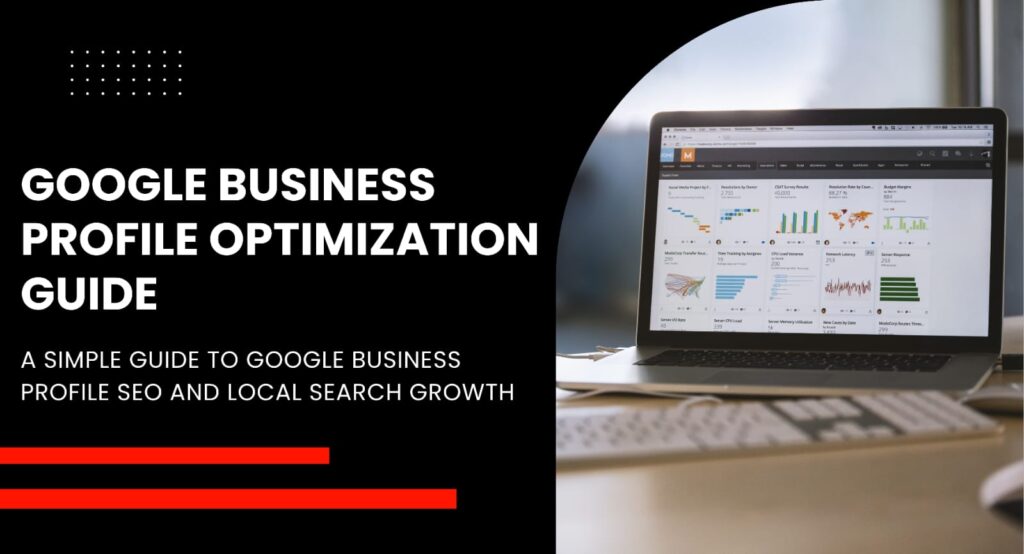
If your business shows up on Google Maps or in local search results, your Google Business Profile is doing more work than you think. A weak or half-filled profile means fewer calls, fewer visits and fewer sales. This guide walks you through Google Business Profile optimization step by step, so your listing actually earns the visibility it deserves.
What Is Google Business Profile Optimization?
A Google Business Profile is the free listing that appears when someone searches for your business or the services you offer. It shows up in Google Maps, in the local map pack, and often on the right side of search results. Simply creating a profile isn’t enough, though.
Google Business Profile optimization means filling in every relevant detail, keeping information accurate, and giving Google enough context to understand exactly what your business does and who it serves. There’s a real difference between creating a profile and optimizing one. Creating it just gets you on the map, literally. Optimizing it is what helps you rank in local search and Google Maps SEO results, and what convinces someone to actually choose you over a competitor three listings down.
How Google Business Profile Rankings Work
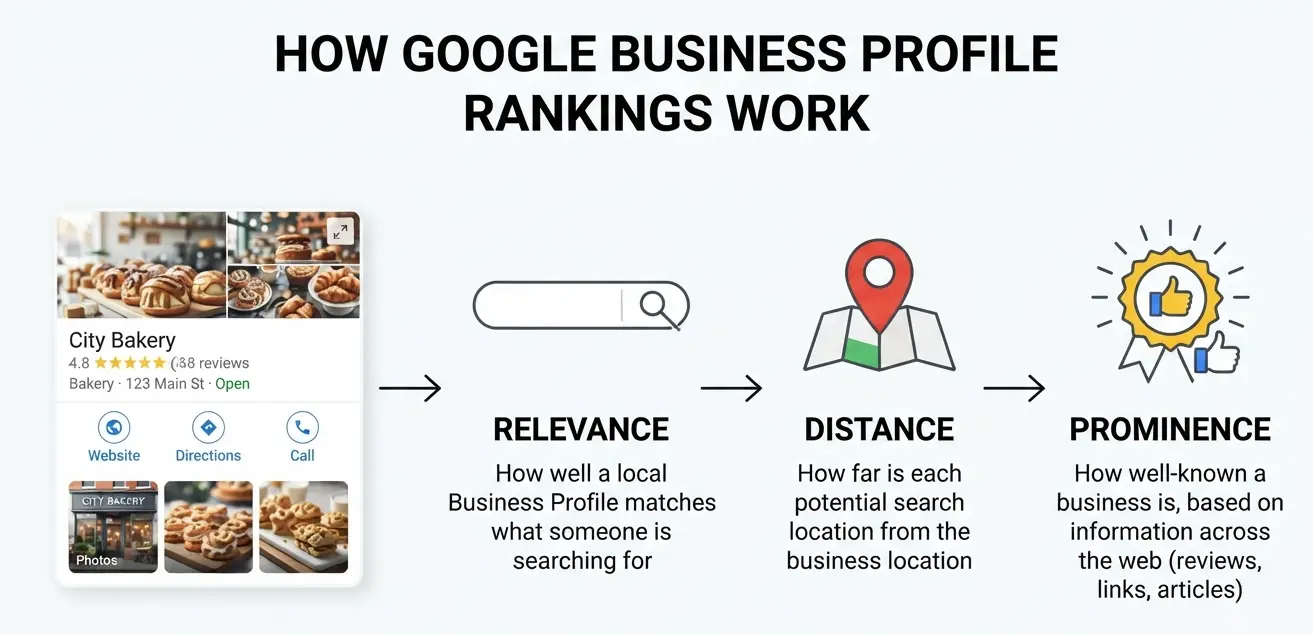
Google uses three main factors to decide which businesses show up for local searches. Understanding them makes every other step in this guide easier to apply.
Relevance
This is about how well your profile matches what someone typed into the search bar. A complete profile with the right category and detailed business information helps Google make that match.
Distance
Google also looks at how close your business is to the person searching, or to the location they included in their search. You can’t change your address to game this, but service-area businesses can define their coverage accurately.
Prominence
This covers your overall reputation, including reviews, star ratings, and how well-known your business is online. A business with strong local ranking factors here often has years of consistent, positive customer feedback behind it.
Google officially names relevance, distance and prominence as the three pillars of local ranking. Every tactic in this guide feeds into one of these three.
How to Optimize Your Google Business Profile
This is where the real work happens. Each element below plays a specific role in how Google reads and ranks your profile.
Choose the Right Business Category
Your primary category tells Google what you fundamentally do, so pick the one that matches your core service exactly, not just loosely. From there, add secondary categories to cover the other things you offer. Resist the urge to add categories that don’t apply, though. Unrelated categories confuse Google and can actually hurt your Google Business Profile SEO instead of helping it.
Complete Your Business Information
Every field matters here, and skipping fields sends a weaker signal than filling them out fully. Your business name should match what’s on your signage and website exactly, with no keyword stuffing added in. List your address or service area correctly, keep your phone number active and monitored, and make sure your website link actually goes where you want it to. Set your regular business hours, and don’t forget special hours for holidays. NAP consistency, meaning your name, address and phone number matching everywhere online, is one of the simpler things you can get right that still moves the needle.
Write an Effective Business Description
Your description should explain what you offer, where you’re located, and what makes you different from the business down the street. Keep it natural. Write like you’re explaining your business to a person, not stuffing it with keywords for an algorithm. A good GBP description reads like something a real customer would want to finish reading.
Add Services, Products and Attributes
List out your actual services and products individually rather than lumping them together. This gives Google more specific terms to match against searches, which strengthens your visibility for those exact queries. Attributes matter too. Things like wheelchair accessibility, outdoor seating or women-led business tags help you show up in filtered searches, and they build trust before a customer even visits.
Add High-Quality Photos and Videos
Photos do a lot of heavy lifting. Businesses with more photos tend to get more clicks and direction requests. Upload:
– Clear exterior shots so people can recognize your storefront
– Interior photos that show the actual space and atmosphere
– Product shots, if you sell physical goods
– Photos of your team at work, or the service itself in action
– Short videos, even a simple 30-second walkthrough helps
Skip stock photos entirely. Real images build more trust and perform better in Google Maps photo rankings.
Keep the Profile Updated
An outdated profile is almost worse than an incomplete one. Update your hours whenever they change, and don’t leave old seasonal hours sitting there in July. Add new services as you introduce them. Share business updates through Google Posts when something noteworthy happens, whether that’s a new location, a sale, or an event. A profile that looks actively maintained tends to earn more trust from both Google and searchers.
Build a Strong Google Review Strategy
Reviews shape prominence more than almost anything else on this list, so this deserves its own focus.
How to Get More Google Reviews
Ask happy customers directly, right after a positive interaction. A simple text or email with a direct review link removes friction and makes it easy to say yes. Timing matters too. The best moment to ask is right after someone has had a good experience, not weeks later when it’s faded from memory.
Respond to Positive and Negative Reviews
Replying to reviews, good or bad, shows customers you’re paying attention. A short thank-you on a positive review costs nothing and builds goodwill. A calm, professional response to a negative one can actually turn a skeptical reader into a customer, since most people read how a business handles criticism before they read the criticism itself.
Avoid Fake or Incentivized Reviews
Google’s policies are clear on this one. Paying for reviews, or asking only your happiest customers while filtering out unhappy ones, violates their terms and puts your entire profile at risk. It’s not worth the shortcut.
Optimize Your Website Along With Your GBP
Your Google Business Profile shouldn’t operate as its own separate island. It works best when it’s tied closely to your website. Keep your NAP information identical across both. Build out location or service pages on your site that match what your profile promotes, and link your GBP to the most relevant page, not just your homepage by default.
Adding Local Business schema markup to your site helps Google connect the dots even further. Local citations, meaning mentions of your business on other directories and sites, reinforce that same consistency. Internal linking between your service pages strengthens the whole structure too. And if you want to measure what’s actually working, UTM tracking on your GBP website link shows you how much traffic and how many actions are coming directly from the profile.
If this part feels like a lot to manage on top of running a business, Adage Media Resources’ local SEO and SEO services pages are a good place to see how this kind of work gets handled professionally.
Common Google Business Profile Mistakes to Avoid
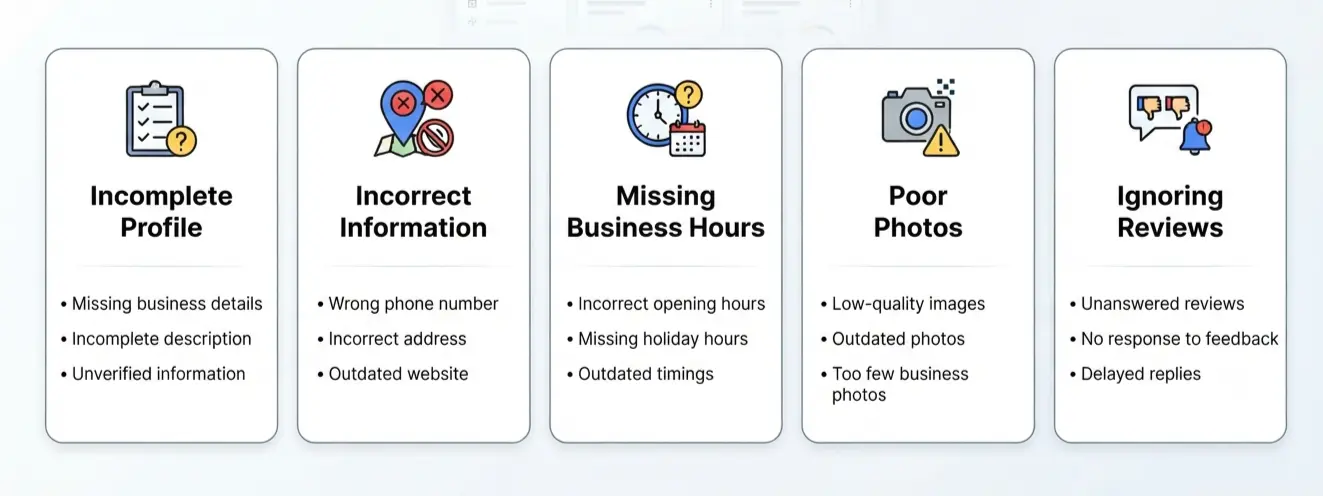
A handful of mistakes show up again and again, and most are easy to fix once you know to look for them.
– Keyword stuffing the business name field
– Choosing a category that’s close but not accurate
– Letting incorrect business information sit unnoticed for months
– Running duplicate profiles for the same location
– Fake reviews, whether bought or swapped with other businesses
– Ignoring negative reviews instead of responding
– Outdated photos or hours that no longer reflect reality
– Creating a profile for a location that isn’t actually eligible under Google’s guidelines
Any one of these local SEO mistakes can quietly cap how well your profile performs, even if everything else is done right.
Google Business Profile Optimization Checklist
Use this as a quick reference whenever you sit down to review your listing.
- Claim and verify your profile
- Select the correct primary category
- Complete every business information field
- Add your services and products
- Write a natural, keyword-aware description
- Upload real photos and short videos
- Keep hours current, including holidays
- Collect genuine reviews consistently
- Respond to reviews, positive and negative
- Keep NAP information consistent everywhere
- Align your website and location pages with your GBP
- Check performance and insights regularly
Conclusion
Google Business Profile optimization isn’t a one-time task you check off and forget. It’s an ongoing mix of accurate information, the right categories, genuinely useful content, real reviews, and a website that backs up everything your profile claims. Get those pieces working together and your local visibility follows naturally. If you’d rather hand this off to people who do it daily, Adage Media Resources offers local SEO services alongside broader SEO, web development and digital marketing support to help your business show up where it matters.
FAQs About Google Business Profile Optimization
How do I optimize my Google Business Profile?
Complete every field, choose the right category, add photos, collect reviews, and keep the information accurate and current. Consistency matters more than any single tweak.
How long does Google Business Profile optimization take?
Initial setup takes a few hours. Seeing ranking movement usually takes several weeks to a few months, depending on competition and review activity.
How do I rank higher on Google Maps?
Focus on relevance, distance and prominence. That means accurate categories, complete details, and a steady stream of genuine positive reviews.
Do Google reviews help local SEO?
Yes. Reviews directly influence prominence, one of Google’s three core local ranking factors, and they also shape whether people trust you enough to click.
Why is my Google Business Profile not ranking?
Common causes include an incomplete profile, the wrong category, thin or no reviews, or inconsistent NAP information across the web.